Pro release 1.4.0
The 1.4.0 release turns the internal rewrite from 1.3.0 into a wave of user-facing features, headlined by a completely redesigned interface.
Dokku Pro 1.3.0 was largely an internal affair. We rewrote the Web UI from scratch and reworked much of the product's internals so that adding new functionality would be far less painful. This release is where that work pays off.
Where 1.3.0 introduced user and team management, 1.4.0 is almost entirely about things you can see and use. It closes out a long list of requests that have been sitting in the backlog for years - in-browser process management, streaming access and error logs, bulk environment variable editing, deploying from a Docker image, and a much larger API - all wrapped in a completely new interface.
Here are the highlights from Dokku Pro 1.4.0.
Major Changes
Requires Dokku 0.38.22+
Warning
Dokku Pro 1.2+ will refuse to start if the minimum Dokku version is not installed.
The minimum required Dokku version has moved from 0.35.15 to 0.38.22. As with previous releases, the bump lets Dokku Pro rely on newer functionality in Dokku itself, and there have been a significant number of improvements to Dokku since the previous minimum. Users are encouraged to upgrade to the latest version of Dokku prior to upgrading Dokku Pro.
To update, run:
# update the `dokku-update` package first
sudo apt update
sudo apt install dokku-update

# update your install (skipping app rebuild)
sudo dokku-update run --skip-rebuild
Minimum required service plugin versions
Warning
Dokku Pro 1.2+ will refuse to start if an installed plugin is not at the minimum supported version.
As a reminder, it is also recommended to update all service plugins to ensure services are properly listed in the API and UI, and to keep deferred app rebuilds during service linking working correctly.
Here are the versions necessary for this release of Dokku Pro:
| Plugin | Version |
|---|---|
| clickhouse | 1.49.2 |
| couchdb | 1.39.1 |
| elasticsearch | 1.41.1 |
| graphite | 1.37.1 |
| mariadb | 1.45.2 |
| meilisearch | 1.76.0 |
| memcached | 1.37.4 |
| mongo | 1.40.6 |
| mysql | 1.44.3 |
| nats | 1.39.0 |
| omnisci | 1.37.1 |
| postgres | 1.48.0 |
| pushpin | 1.42.1 |
| rabbitmq | 1.40.5 |
| redis | 1.43.0 |
| rethinkdb | 1.37.1 |
| solr | 1.43.0 |
| typesense | 1.43.1 |
A few features in this release are backed by optional Dokku plugins. If you want to manage HTTP Basic Auth, Let's Encrypt certificates, or maintenance mode from Dokku Pro, install the corresponding plugins at these versions:
| Plugin | Version |
|---|---|
| http-auth | 0.11.1 |
| letsencrypt | 0.25.1 |
| maintenance | 0.10.1 |
To update, run:
# update the `dokku-update` package first
sudo apt update
sudo apt install dokku-update

# update your install (skipping app rebuild)
sudo dokku-update run --skip-rebuild
A completely redesigned interface
The headline change in 1.4.0 is a brand new interface. The entire Web UI has been redesigned from the ground up for a cleaner, more modern look, it now uses the Dokku logo throughout, and it ships with a light and dark theme toggle so you can match your preference.
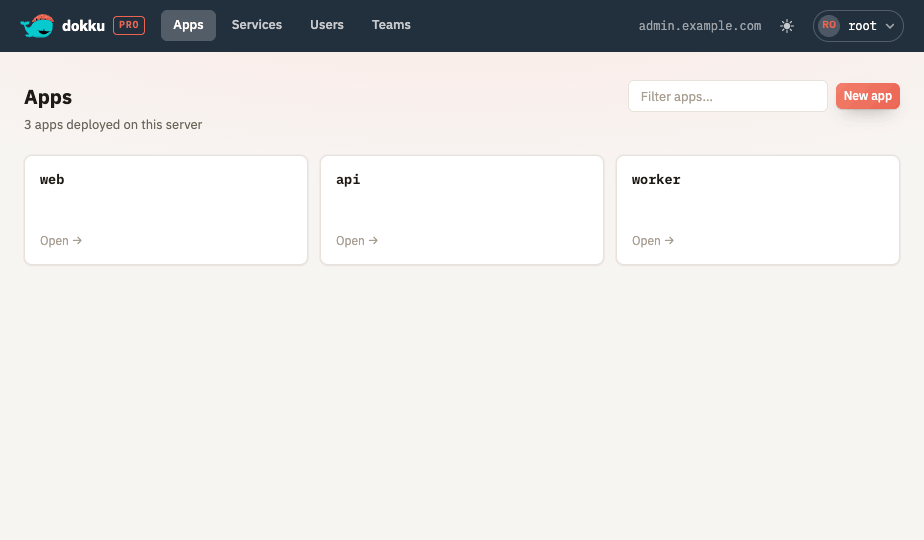
The redesign touches every page in the product. If you have used Dokku Pro before, everything is where you would expect it to be, just far nicer to look at and easier to navigate.
Process management in the browser
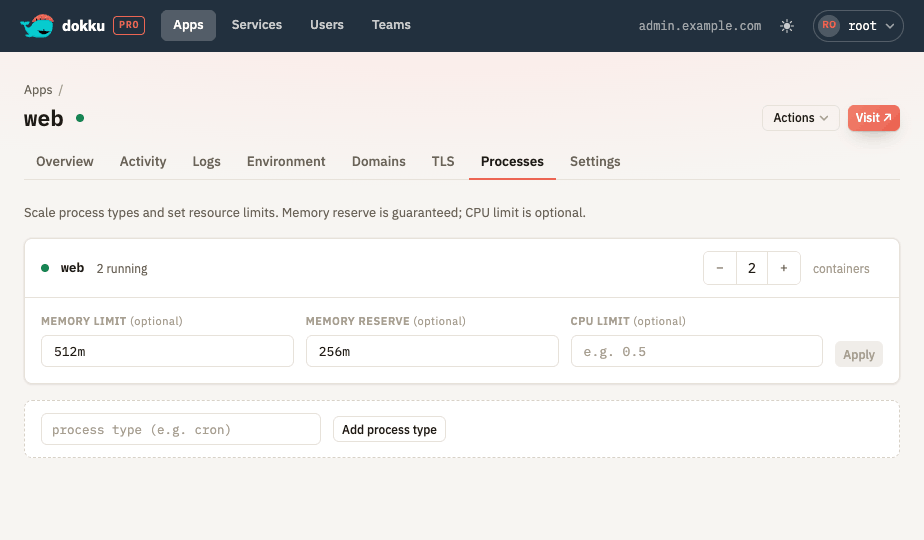
You can now start, stop, restart, and scale an app's processes directly from the UI, without dropping to the command line. Each process type is listed with its current scale, and changes are queued as background jobs just like every other action in Dokku Pro.
Bulk environment variables
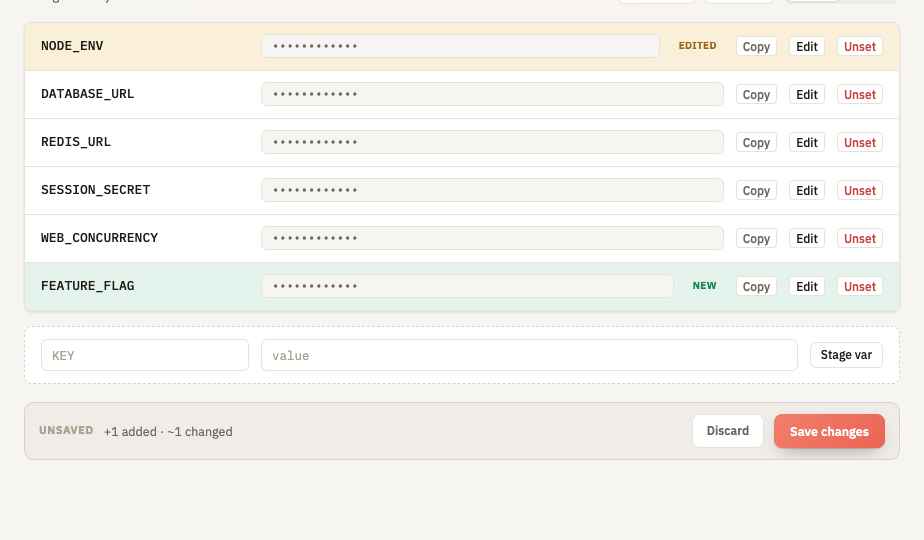
Editing environment variables one at a time gets old fast. The environment
variables screen now lets you stage several changes at once and commit them
together, so a rebuild happens once instead of once per variable. You can import
an entire .env file, and replace the full set of variables in a single
operation.
Streaming logs
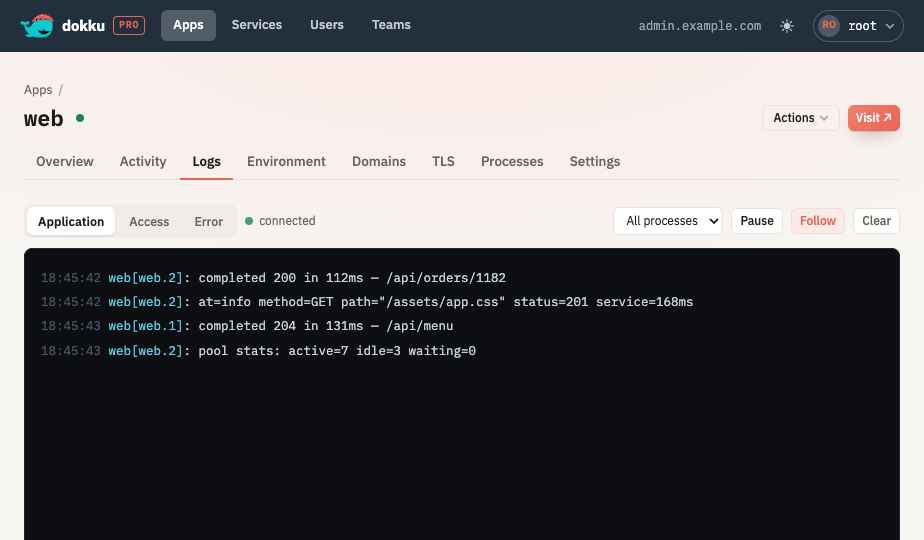
Application logs are no longer the only thing you can watch. Dokku Pro can now stream an app's access and error logs as well. And when the connection cannot be established - for example when the proxy in front of Dokku Pro does not allow websockets - the UI now shows a clear error instead of an empty screen with no explanation.
HTTP Auth and Maintenance mode in the UI
Two more proxy features are now available without touching the command line. You can put an app behind HTTP Basic Auth, and you can toggle maintenance mode to show a holding page while you work. Both require the relevant Dokku plugins listed above.
SSH keys and passwords in the UI
Each user can now have their SSH keys and an optional password managed from the UI. Passwords are stored encrypted, keys and users are reconciled independently of one another, and the root user can revoke access as needed. This rounds out the user management that landed in 1.3.0.
Rename apps, custom push URLs, and login messages
A handful of smaller but frequently requested customizations made it in:
- You can rename an app from the UI.
- The git push URL is now configurable on the server rather than always being inferred from the request hostname, which is handy when Dokku Pro is exposed on a different domain than the one used for deploys.
- You can set a custom message on the login screen, useful for internal notices or onboarding instructions.
Service creation options
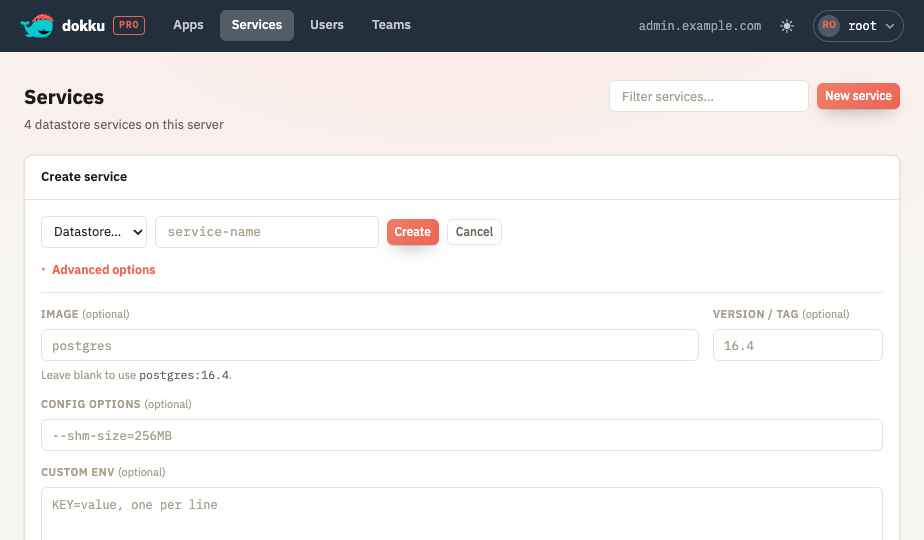
When creating a service, you can now choose the image and version along with other creation options directly in the UI, instead of creating it from the command line to pick a specific version.
A much larger API
This release expands the API considerably.
- Deploy from a Docker image. You can now deploy an app directly from a Docker image via the API.
- Batch operations. A new
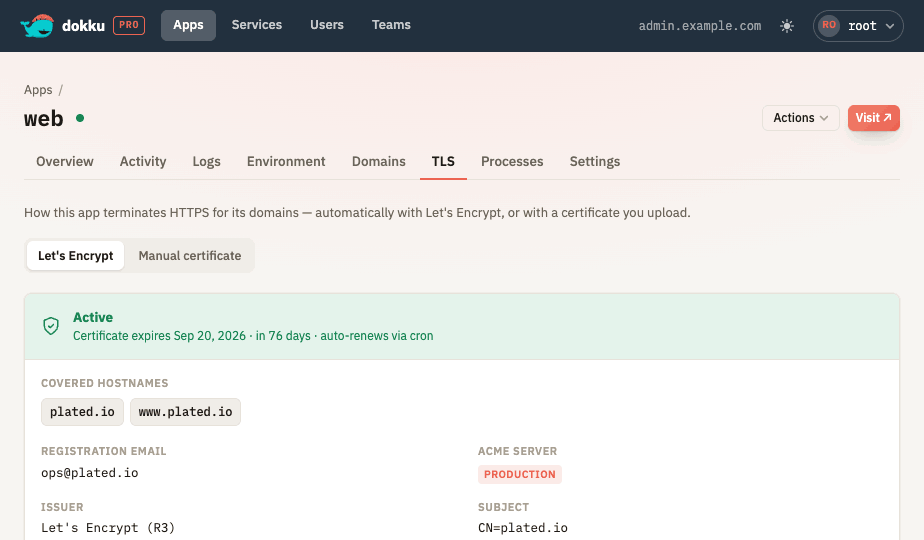
/operationsendpoint follows the JSON:API atomic operations style to add, update, and remove many domains, environment variables, process scales, buildpacks, and HTTP Basic Auth entries in a single request. Dokku Pro coalesces the work so each affected app is rebuilt at most once - importing ten environment variables runs oneconfig:setand queues one rebuild instead of ten of each. - Certificates and Let's Encrypt. New endpoints let you upload and manage TLS certificates as well as drive Let's Encrypt, so certificate management is no longer a command-line-only affair.
- A more consistent API surface. We have continued tightening the API's adherence to the JSON:API specification so it behaves more predictably for the people building tooling and integrations on top of it.
GitHub webhooks and git:sync deploys
Dokku Pro can now deploy an app from a git repository, either on demand from the
app's Actions menu or automatically when you push to GitHub. Both paths use
Dokku's git:sync under the hood and run as queued background jobs.
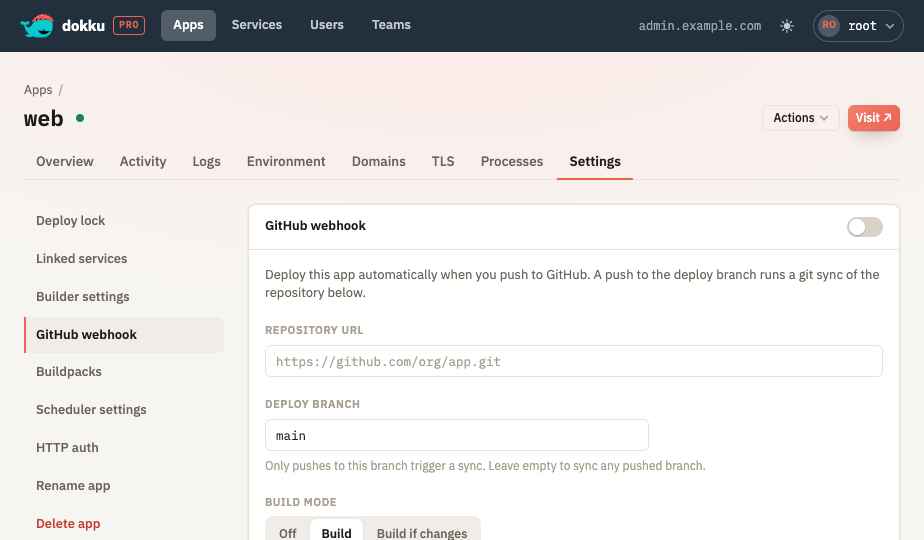
Checkout the GitHub webhooks documentation for details on configuring automatic deploys.
Reverse proxy authentication
Dokku Pro can now trust an identity-aware reverse proxy to sign users in. When the proxy in front of Dokku Pro sets a configured header naming the logged-in user, Dokku Pro reads it, resolves the matching user, and issues a normal session with no login form. This is the same mechanism used by Tailscale Serve's identity headers and Gitea's reverse-proxy authentication, and direct access still falls back to the usual username and password login.
Because a trusted header is only as trustworthy as the network in front of it, this feature fails closed and must be scoped to specific trusted proxies. Please read the reverse proxy authentication documentation in full before enabling it.
Backup and restore guide
Finally, there is now a proper backup and restore guide that documents the Dokku Pro specific state you need to preserve - the database directory, the server configuration and secrets, and the per-app settings stored alongside Dokku - and the order to restore them in so a fresh install comes up cleanly.
Minor Changes
As with the last release, rather than a catch-all "miscellaneous bug fixes and improvements" section, here are the smaller fixes that went into 1.4.0:
- Deleting a resource and navigating away no longer bounces you back to that resource's list view.
- Environment variable changes now hit the correct endpoint.
- App locking was restored in the redesigned UI, while the
lockedstatus was dropped from the app list view, which had been slowing that page down.
Dokku Pro Pricing
This release does not include any pricing changes. Dokku Pro's price will continue to increase over time by various amounts until the product settles to a more "feature-complete" state.
Please bear in mind that this is a lifetime license, and users are entitled to all upgrades of Dokku Pro as long as they are made. Folks wishing to support continued development of the project are encouraged to purchase today before the price is increased.
Coming up next?
This was a big release, and it clears out a lot of long-standing requests. There is still plenty we want to build. Here is some of what we will be working towards over the next few releases:
- Persistent storage management
- Installed plugin management
- An API method for triggering arbitrary run commands
- Log and metric storage
Have a feature request or a bug to report? Feel free to file it in the issue tracker here.
Thanks everyone for your support, and I hope you all enjoy this release of Dokku Pro!